
Built by a teacher, not a tech company
Forget less, remember more
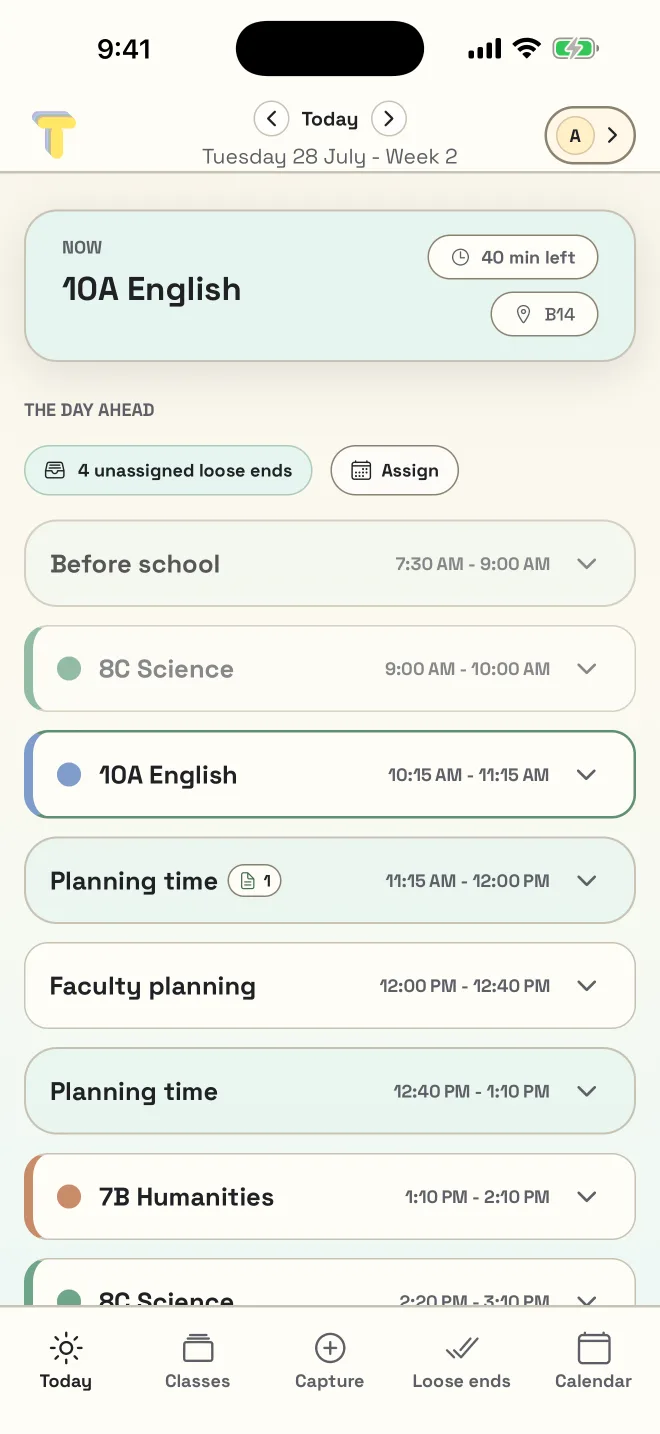
A digital teacher planner built around your teaching timetable. Import it once — an .ics file, a PDF, or a photo of your schedule — then let Made to Teach catch the small things and put them where they belong in your day.
Download on theApp StoreComing soonGoogle Play
- built around your classes
- private by design
- timetable import included
The bit no planner helps with
The thought arrives at 11:04. The bell goes at 11:05.
The problem was never that you don't have a to-do list. It's that the list doesn't know which class it belongs to, and it can't see that your only free block this week is Tuesday afternoon. Made to Teach calls those loose ends — the whole app is built around catching them.
How it works
Three steps, and none of them are “remember it yourself”.
Or type it in; either way you check a draft before anything lands. No timetable? You don't need one. see how importing works
Catch it
Type it while the class is still in the room, and pick the class. Done.
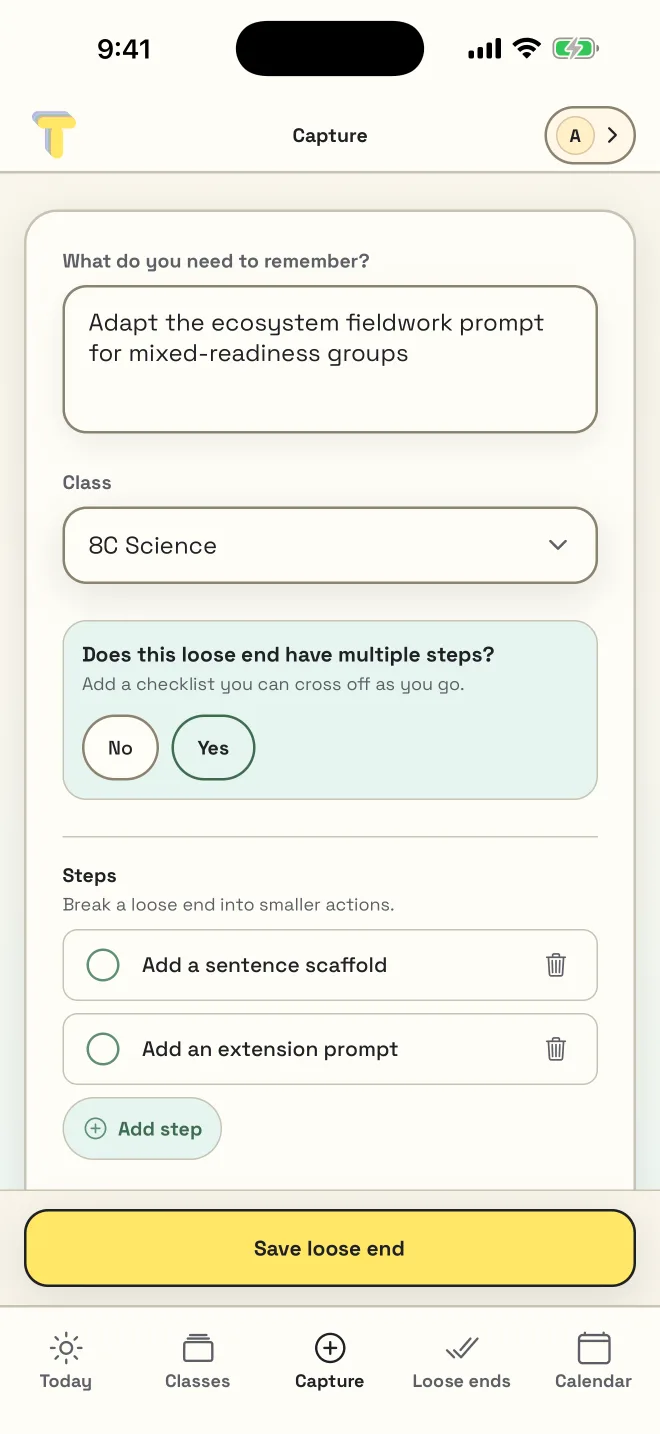
See it
It lands on 8C Science with a priority — not in a pile for Sunday night.
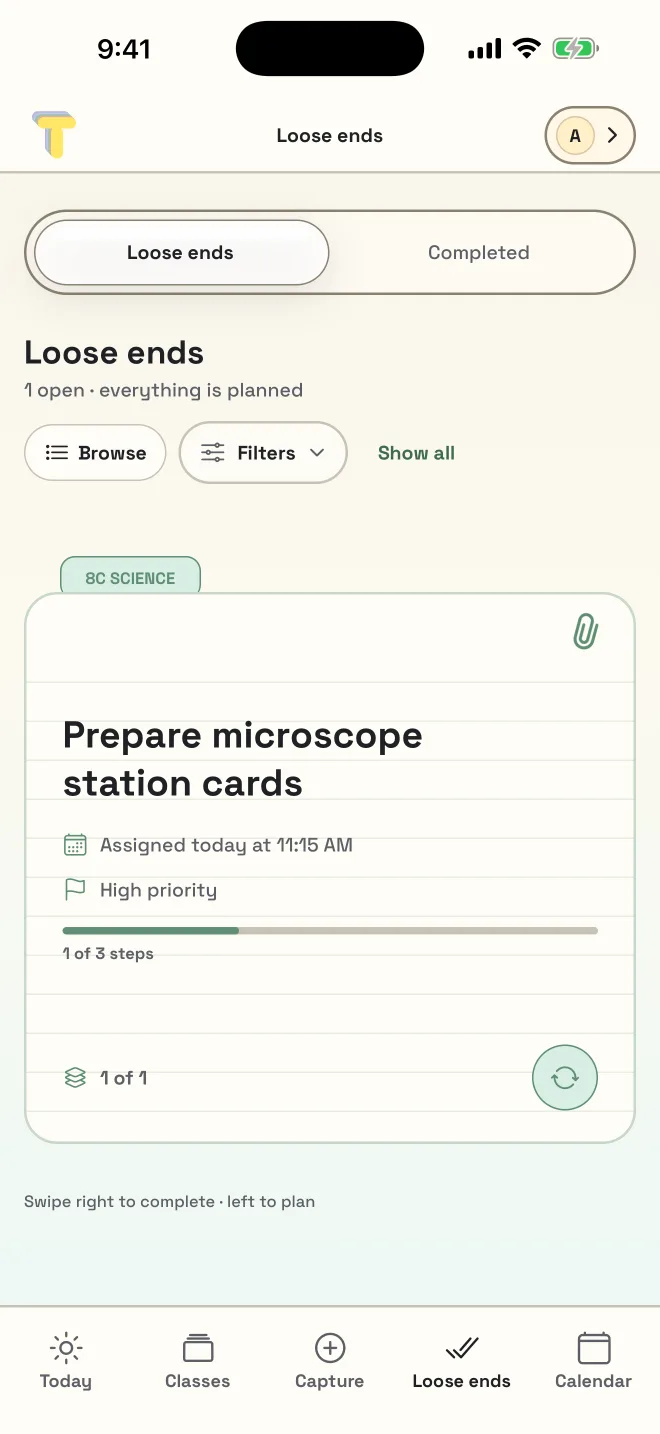
Act on it
It surfaces in a gap you actually have — the 11:15 planning block.
If you already have a system
This isn't trying to replace your whole system.
Keep what works. Made to Teach is for the part that keeps falling through.
- A paper diary
- It doesn't follow you to the next room — and it can't remind you the thing was for 8 Numeracy on Thursday.
- OneNote, Notion, or Notes
- Those are blank pages. This one already knows your timetable, so a note lands on a class and in a time, not in a list.
- Your school's LMS
- That's for students and reporting. This is for the twenty small things between one bell and the next.
- Phone reminders
- A reminder fires at a time you had to guess. This one finds the gap you actually have.
Before you put anything in it
Your planning is yours.
- It isn't a student data system. Made to Teach is built around your timetable and your own notes. It doesn't ask for student records, and the import flow exists to turn a timetable into a schedule — not to build a register.
- Nothing is sold, and there are no ads. No selling personal information, no targeted advertising, no third-party ads in the app.
- The AI features ask first. Checking a PDF or photo timetable with AI is free and optional, and AI planning help is a Pro extra. Either way the app asks before the first request, and you can decline and keep using everything else.
- You can delete it, and mean it. Delete your account from Profile → Manage account, and the account and its cloud data go with it.
- It's yours, not your school's. You sign up on your own, and you keep it if you change schools. No administrator provisions it, and no administrator can take it away.
Simple pricing
Cloud sync stays free.
Most planners charge to keep your work on more than one device. This one doesn't. Pro is for when you want the limits off and the planning help on.
Free
$0
Your timetable, your classes, and ten loose ends at a time.
Pro
A$2.50/month
A$29.99 a year. Or A$3.99 a month if you would rather not pay up front.
save A$17.89 a year ✓
Shown in Australian dollars. You'll see the price in your own currency at checkout.
| Feature | Free | Pro |
|---|---|---|
| Loose ends | 10 at a time | Unlimited |
| Timetable import (.ics, PDF, photo) | 3 imports | Unlimited |
| AI check on PDF and photo imports | Included | Included |
| Classes, calendar, and today view | Included | Included |
| Home screen widgetsYour next class and open loose ends, visible on your phone's home screen without opening the app. | Included | Included |
| Sync across your devices | With a free account | Included |
| Shared classes with colleaguesShare a class with a co-teacher. You both see the same class planner, live — each with your own account. | Not included | Included |
| Smart planningFinds the real gaps in your timetable and suggests when to deal with each loose end. | Not included | Included |
| Lesson planning (with optional AI)Plan lessons against the slot they happen in. Optional AI help drafts from your own plan — and always asks before anything is sent. | Not included | Included |
| Compliance exportsDated PDF and DOCX copies of your teaching register, ready for faculty records or accreditation. | Not included | Included |
Questions teachers ask first
Before you sign up
What does it cost, and what do I get for free?
Can it read my timetable?
.ics calendar file, a PDF timetable, or a photo of one. You review a draft before anything is added, so a messy source file never quietly becomes a messy timetable. The import guide walks through each file type.Does it work on my phone and my school computer?
What happens to my data, and anything about my students?
Do I need my school to sign up?
Ready when you are
Ready to teach with less to hold in your head?
Free to start, and free to keep using. Open it in your browser — there is nothing to install and no school approval to wait for.
Download on theApp StoreComing soonGoogle Play